Car Engine Sound Generator
This car engine sound generator lets you drag an rpm slider from idle to redline and hear a synthesized engine respond, then save a clip as a WAV file. Choose the cylinder count and an exhaust tone, press Start engine, and play. It is free, runs in your browser and uploads nothing. The sound is a synthetic approximation, not a recording of a real car.
runs in your browser · free
- Firing frequency
- 26.7 Hz
- Worked out as
- 800 / 60 x 4 / 2
Press Start engine. Browsers only play sound after a click.
Car engine sound generator online free: how it works
A short model of an engine, built from a few oscillators and filters.
A petrol engine is a pulse machine. Each cylinder fires once every two turns of the crankshaft in a four-stroke engine, so the main pitch you hear is set by how many firings happen per second. The formula is:
firing frequency (Hz) = rpm / 60 x cylinders / 2
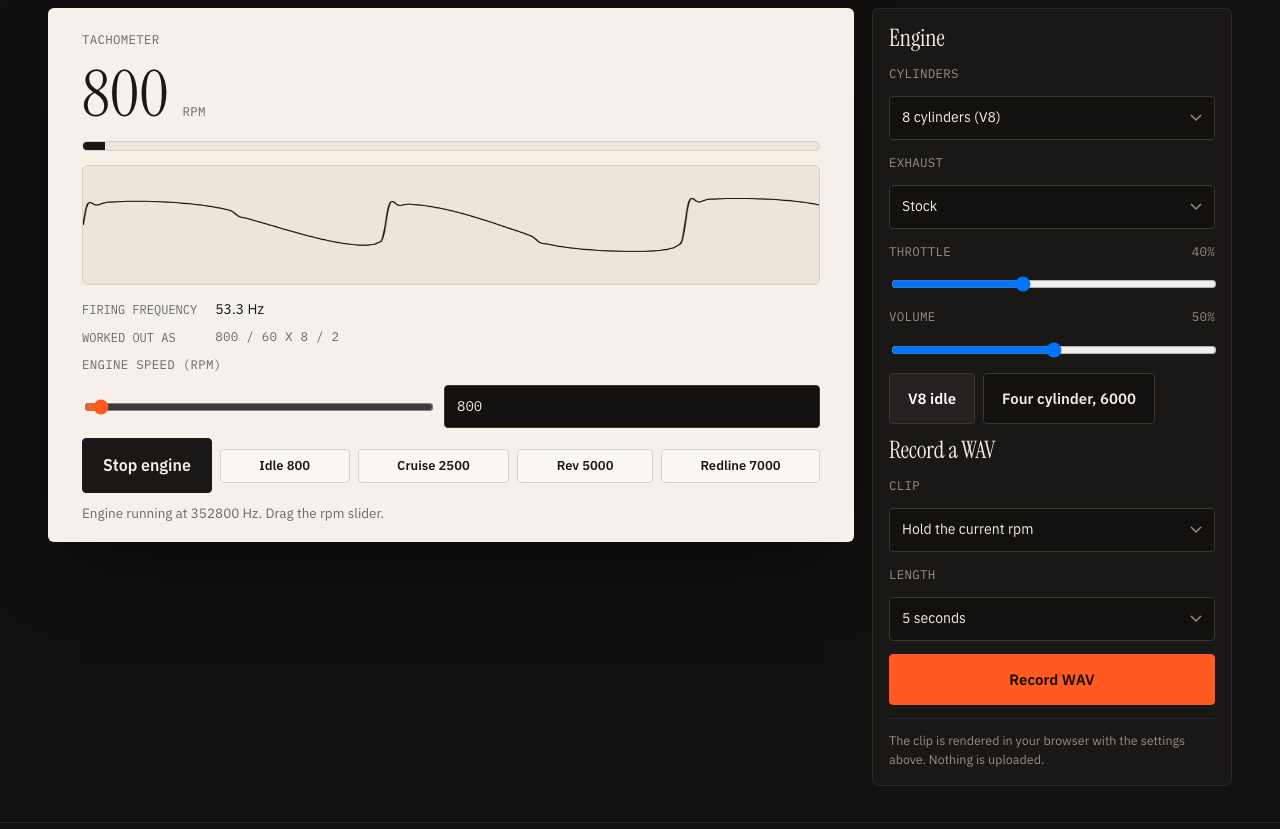
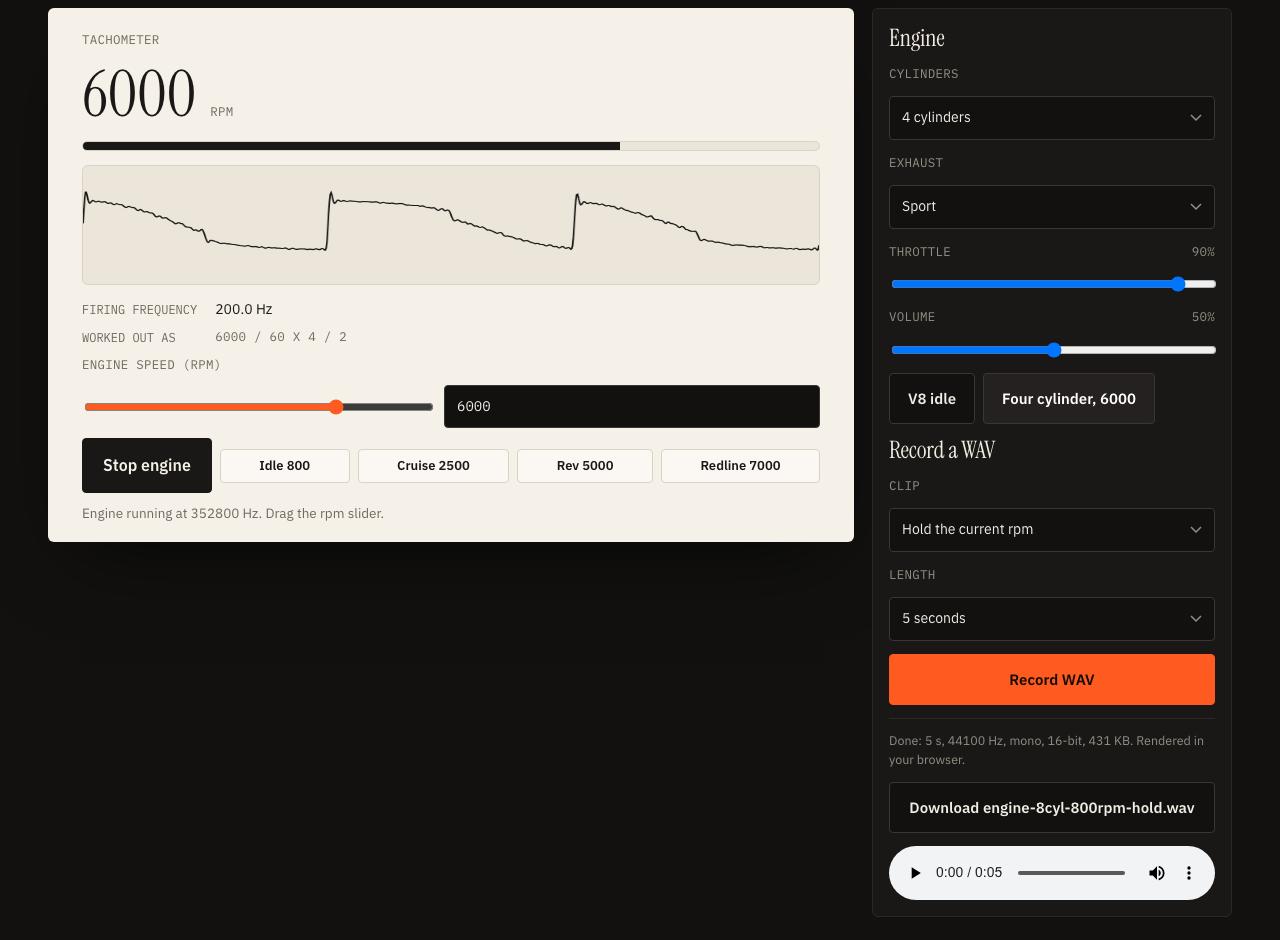
At 6000 rpm a four cylinder engine fires 200 times a second, which is 200 Hz. A V8 idling at 800 rpm fires about 53.3 times a second, a low rumble near the bottom of what small speakers can reproduce. The readout above the slider shows this number as you move it.
The generator turns that frequency into a harmonic-rich pulse wave, adds a sub-octave tone, mixes in filtered noise for intake and exhaust roar, pushes everything through a soft distortion stage and closes with a low-pass filter whose cutoff follows the rpm. A slow wobble tied to the engine cycle gives the uneven lope you hear at idle.
Firing frequency at common settings
| Rpm | 4 cyl | 6 cyl | 8 cyl |
|---|---|---|---|
| 800 | 26.7 Hz | 40.0 Hz | 53.3 Hz |
| 3000 | 100.0 Hz | 150.0 Hz | 200.0 Hz |
| 6000 | 200.0 Hz | 300.0 Hz | 400.0 Hz |
More cylinders at the same rpm means more firings per second, so the note is higher and smoother.
Engine sound simulator online free: idle, pull away and redline
Four settings cover most of what you need. Start with these and adjust by ear.
Idle
Set the rpm to 700 or 800, choose the Stock exhaust and lower the throttle to around 30 to 40 percent. At low rpm the lope wobble is strongest, which gives the lumpy feel of a warm engine at rest.
Acceleration
Drag the slider upward smoothly rather than jumping. As rpm climbs, the pitch rises, the low-pass opens and the noise gets louder, which is the shape of a pull away. For a clip with the sweep built in, choose Rev up from idle to the current rpm in the recorder and set the slider where you want the clip to end.
V8 low growl
Pick 8 cylinders, keep rpm between 800 and 2500, and try the Stock or Sport exhaust. A V8 fires at about 53 Hz at 800 rpm and about 167 Hz at 2500 rpm (rpm / 60 × 8 / 2), so the low end of that range is where the sub-octave tone adds the most weight.
Four cylinder at high rpm
Choose 4 cylinders and push the slider to 6000 or beyond. The fundamental sits around 200 Hz and the filter opens fully, so the sound turns thin and bright. Add the Sport exhaust for a harder edge. The Four cylinder, 6000 button sets this in one click.
Exhaust sound simulator: stock, sport, straight pipe and muffled
The exhaust menu changes three things at once: how many harmonics the pulse carries, how hard the signal is pushed into distortion and how bright the final filter is.
- Stock: a rounded tone with moderate distortion, a good base for most clips.
- Sport: more upper harmonics and a brighter filter, so it cuts through a mix.
- Straight pipe: the harshest setting, with the most distortion and noise. Turn the volume down before you try it.
- Muffled: fewer harmonics and a darker filter, like hearing an engine from inside a heavy cabin.
These are tone shapes inspired by how exhausts behave, not models of any specific system.
Throttle and volume
Throttle raises the noise layer and opens the filter a little, so a high throttle at the same rpm sounds bigger and busier than a low one. It does not change the pitch. Pitch comes from rpm and cylinders alone.
Use the engine sound in a video
Record a WAV and drop it into any editor. Here is a workable routine.
- Set the cylinders and exhaust to suit the scene, then press Start engine and listen for a moment.
- For a steady background, choose Hold the current rpm, pick 10 seconds and record. Loop it under the picture and fade the ends.
- For a pull away or a gear change, move the slider to the target rpm, choose Rev up from idle, pick 5 seconds and record.
- Download the WAV and place it on its own track. Lower its level under any voice so the words stay clear.
- Make two or three clips at different rpm values and cut between them in time with the picture.
Tips for matching sound to picture
Speed up the pitch in your editor as a vehicle accelerates, and add a short low-pass fade as it passes the camera. A single clip with some wind or tyre noise layered on top feels less like a tone and more like a scene.
If your video has narration, record the script with the voice over generator. Before checking sync on wireless earbuds, run the audio delay test so you know how late your headphones play sound.
What this engine sound generator is, and is not
It is a small synthesizer built on a simple model. It is useful for a quick placeholder, a demonstration of how rpm and cylinder count shape pitch, a game prototype or a lesson. It will not match the character of a particular car, and it does not copy any recording.
- Approximate: real engines vary with firing order, intake and exhaust design, load and the room they are heard in.
- Speakers matter: small speakers cannot reproduce the lowest notes, so test on headphones too.
How the WAV is made
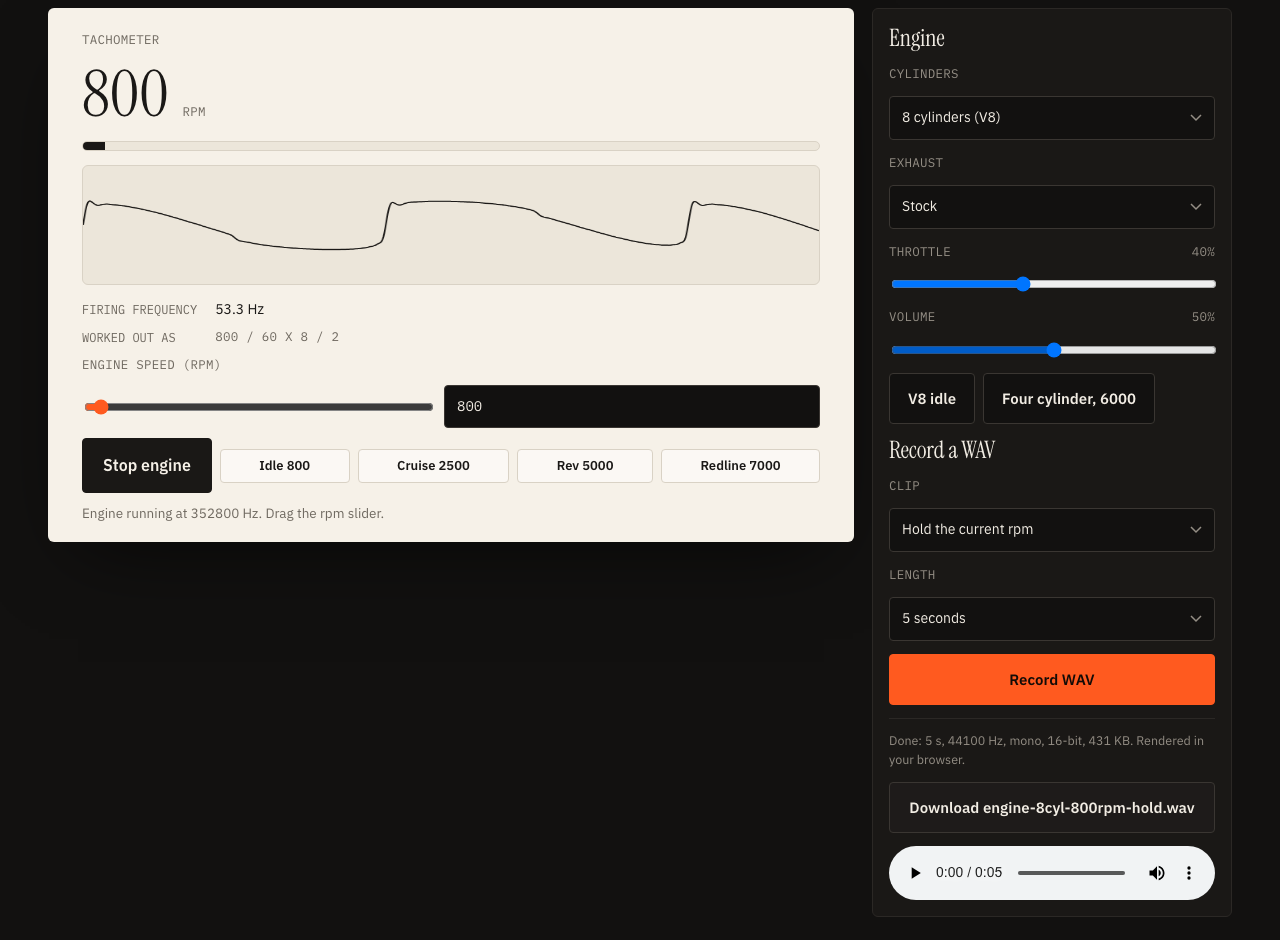
When you press Record WAV the page builds the same sound graph on an offline audio context, which renders faster than real time without playing it aloud. The samples are then written into a standard 44-byte WAV header followed by 16-bit audio data, and offered as a download from memory. Nothing is sent over the network, which also means your speech allowance is untouched.
Car engine sound generator: questions
How do I generate a car engine sound online for free?
Press Start engine on this page, drag the rpm slider, and pick a cylinder count and an exhaust setting. To keep a clip, press Record WAV and download the file. It is free, needs no sign-up and runs entirely in your browser.
What is the formula for engine firing frequency?
For a four-stroke engine, firing frequency in hertz is rpm divided by 60, times the number of cylinders, divided by 2. At 6000 rpm a four cylinder engine gives 200 Hz, and a V8 at 800 rpm gives about 53.3 Hz.
Is this a recording of a real car?
No. The sound is synthesized from oscillators, filtered noise and a distortion stage, so it is an approximation of an engine, not a recording of any particular vehicle or model.
Can I use the WAV in a video?
You can record a clip and place it in an editor as a sound layer. It is generated on your device, but check the terms of the platform you publish on, and listen to it against your picture before you commit to it.
Does it upload anything or use my text to speech allowance?
No. Synthesis and WAV export happen in your browser with the Web Audio API. Nothing is uploaded, and the page makes no calls to the site's speech service.