YouTube to Key and BPM
Find the key and BPM of a song. Upload an audio file you have the right to use and the page estimates its key, relative major or minor, Camelot code and BPM in your browser. For a YouTube video, paste the link: it plays in YouTube's own embedded player, you tap along for the tempo, and the note buttons help you hear the key. This page does not download or scrape YouTube audio. Free, no sign-up, nothing uploaded.
runs in your browser · free
Works with watch, youtu.be and shorts links. The video plays in YouTube's own player.
- Taps
- 0
- Half time
- -
- Double time
- -
Press Tap (or Space) on every beat.
YouTube to key and BPM online free: what works
Two routes, because YouTube audio is not available to a web page.
Route one: an audio file you may use
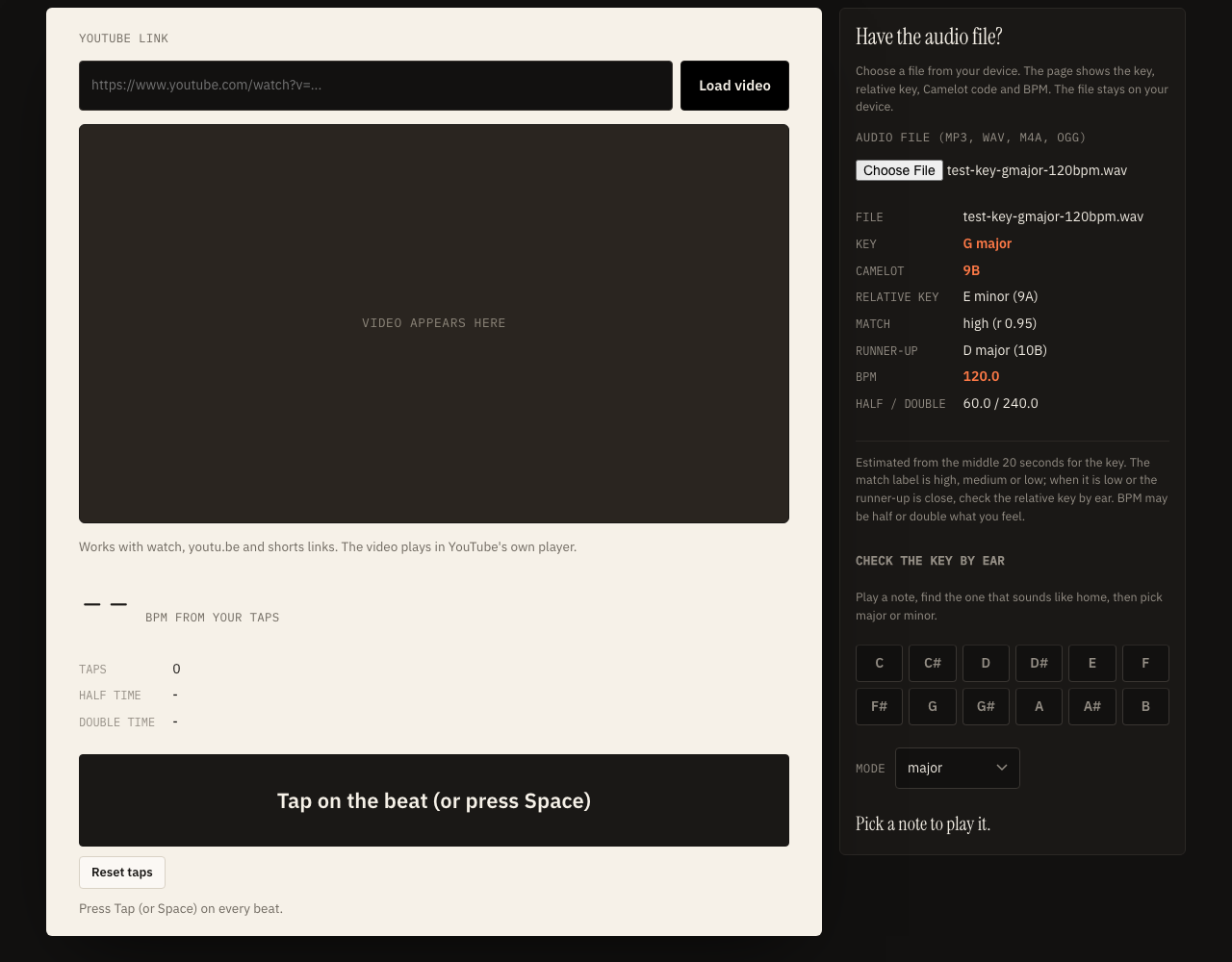
Choose an audio file. The page decodes it in your browser and analyses the middle minute or so. You get the key, its relative major or minor, the Camelot code, a match label and a tempo with half and double values.
Route two: a YouTube link
Paste the link and press Load video to show YouTube's embedded player. Press play, tap along on the beat for the BPM, then use the note buttons to hear which note feels like the centre of the song.
Reading a key straight from a YouTube address needs the audio, and downloading or capturing it is not allowed by YouTube's terms of service, so this page does not do it.
Song key finder: how the estimate is made
Pitch content, folded into twelve notes, compared with twenty-four key shapes.
A song key finder asks which of the twelve notes the music leans on. The page splits the audio into overlapping frames, takes a frequency spectrum of each, keeps the strong peaks between about 80 Hz and 2000 Hz, and adds up the energy that lands on each note regardless of octave. The result is a twelve-number profile called a chroma vector.
That profile is compared with the Krumhansl-Schmuckler key profiles, which describe how strongly listeners tend to feel each note against a major or minor tonic. It tries every tonic in both modes, which gives 24 correlations, and reports the best one with the runner-up.
What can mislead it
- Relative major or minor. C major and A minor use the same notes, so a song can read as either.
- Key changes. One answer cannot describe a song that modulates.
- Little pitched sound. Drum-only passages carry few clear notes.
Camelot wheel: all 24 keys
Same number means the same notes. A is minor, B is major.
| No. | Minor (A) | Major (B) |
|---|---|---|
| 1 | 1A G# minor (Ab minor) | 1B B major |
| 2 | 2A D# minor (Eb minor) | 2B F# major (Gb major) |
| 3 | 3A Bb minor (A# minor) | 3B Db major (C# major) |
| 4 | 4A F minor | 4B Ab major (G# major) |
| 5 | 5A C minor | 5B Eb major (D# major) |
| 6 | 6A G minor | 6B Bb major (A# major) |
| 7 | 7A D minor | 7B F major |
| 8 | 8A A minor | 8B C major |
| 9 | 9A E minor | 9B G major |
| 10 | 10A B minor | 10B D major |
| 11 | 11A F# minor (Gb minor) | 11B A major |
| 12 | 12A C# minor (Db minor) | 12B E major |
How DJs use it
The Camelot wheel is a numbering used by DJ software and harmonic mixing guides. Two tracks usually blend smoothly when their codes are the same, one number apart with the same letter (8A to 9A or 7A), or the same number with the other letter (8A to 8B).
Those are starting points, not rules. Tempo, energy and arrangement matter at least as much as the key.
Tap the BPM while the video plays
Your ear is the sensor, which keeps everything inside YouTube's own player.
- Paste a YouTube link and press Load video.
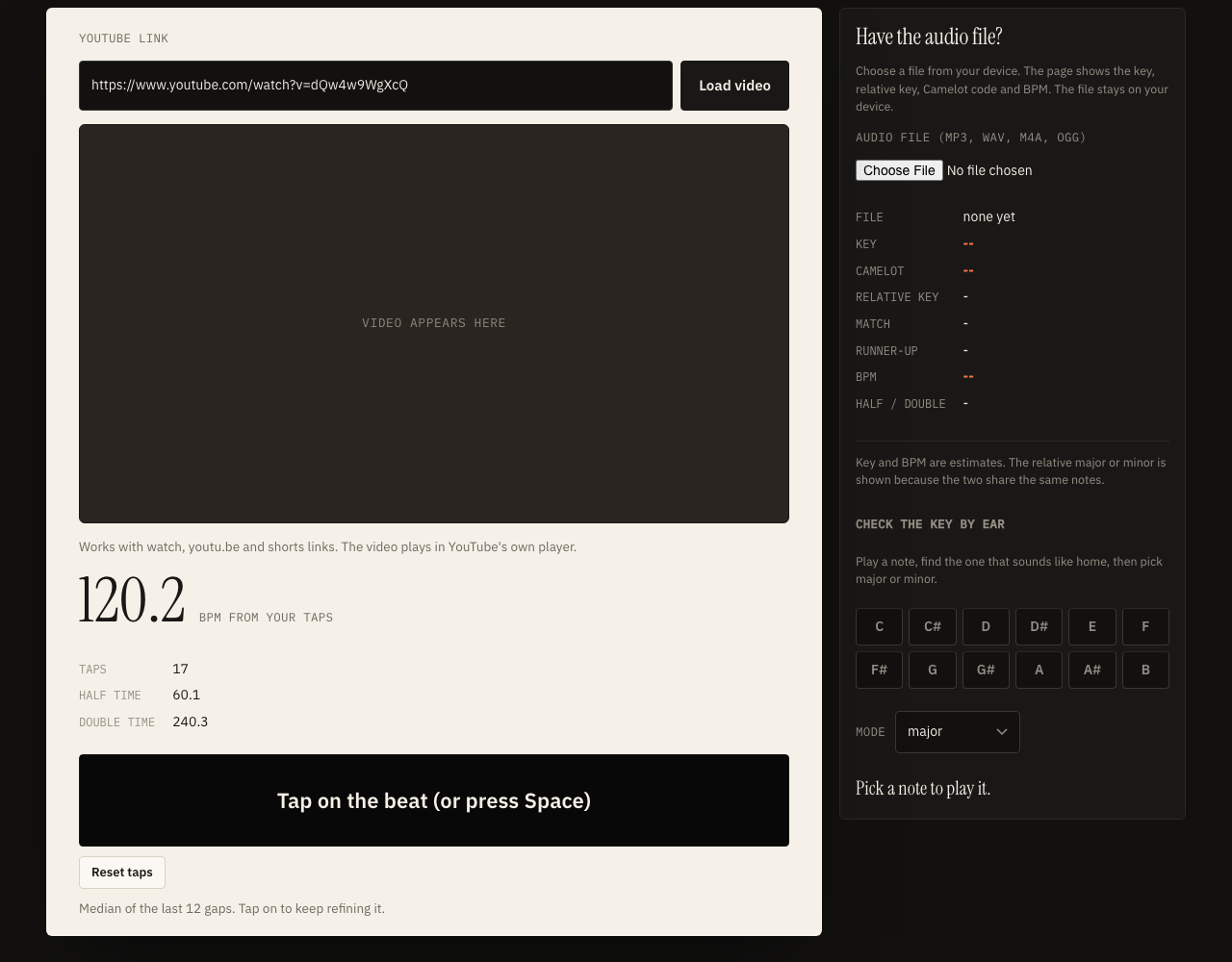
- Tap the big button, or press the Space bar, on every beat. The big number is the median of your most recent tap gaps, in beats per minute.
Aim for 16 or more taps and start after the intro. Playback delay shifts every tap by about the same amount, so the gaps still give the tempo. To see how late your earbuds play sound, try the audio delay test.
Half time and double time
A slow ballad may feel like 70 beats a minute to one listener and 140 to another, so the page shows half and double values beside the main number.
Find the key by ear with reference notes
A small helper for when you only have the video.
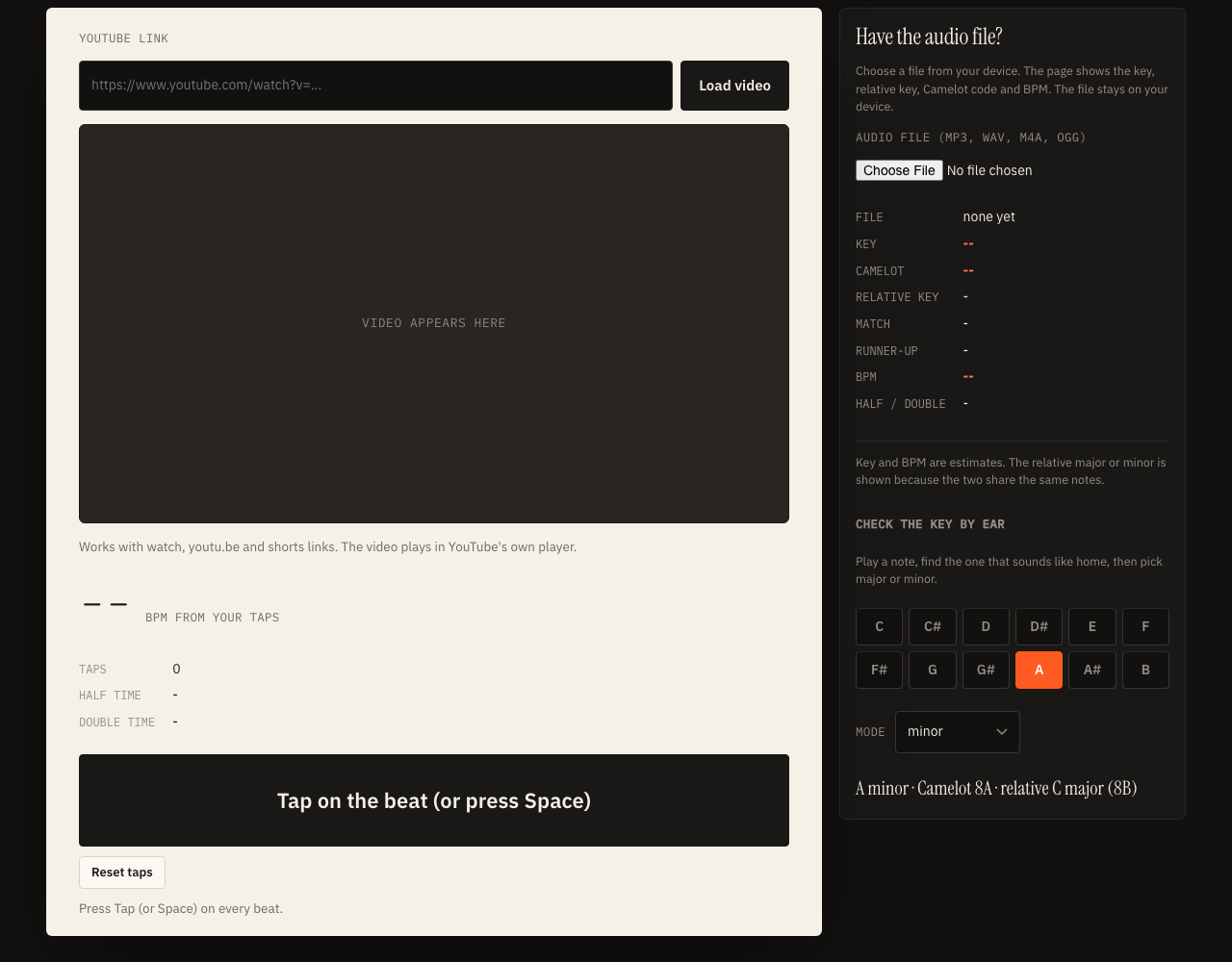
Because the key cannot be read from YouTube audio, the page includes twelve reference notes. Click them one at a time while the song plays and listen for the one that sounds settled, like the last note of a melody. That note is usually the tonic. Then choose major if the song sounds bright around that note, or minor if it sounds darker.
The page then shows the key name, the Camelot code and the relative key. If unsure, try both modes.
Tips for hearing the tonic
- Try the last bass note of a verse, or hum along and notice where you want to stop.
What is and is not stored
The YouTube link only builds the address of the embedded player in your own browser. Taps are not stored, and an uploaded file is decoded in memory and never leaves your device.
Related audio tools
Check tempo alone with Get YouTube BPM, record narration with the voice over generator, or pull audio from your own video with video to audio.
YouTube to key and BPM: questions
How do I find the key and BPM of a YouTube song?
YouTube does not let a web page read the audio of a video, so there are two routes. If you have the song as an audio file you may use, upload it here and the page estimates its key and BPM in your browser. If you only have the video, paste the link, play it in the embedded player, and tap along for the tempo and use the note buttons to find the key by ear.
Does this page download or scrape audio from YouTube?
No. Downloading or scraping audio from YouTube is against YouTube's terms of service, so the page only embeds YouTube's own player. The key and BPM analysis runs on a file you choose from your own device, and that file is not uploaded.
What is the Camelot wheel?
The Camelot wheel is a way of labelling the 24 major and minor keys with a number from 1 to 12 and a letter. A is for minor keys and B is for major keys. Keys with neighbouring codes share most of their notes.
How reliable is the key estimate?
Treat it as an estimate. It tends to work better on music with clear harmony and a steady tonal centre, and it can be off on songs that change key or have little pitched sound. The page shows the runner-up key and a match label so you can see a close call.
Why does it show a relative major or minor key?
Every major key shares its notes with one minor key, called its relative minor, and the two have the same Camelot number. C major and A minor use the same seven notes, so the analysis can lean either way. The page shows both.
Is my audio file sent to a server?
No. The file is decoded and analysed in your browser with the Web Audio API. Nothing is uploaded and the page does not use your text to speech allowance.