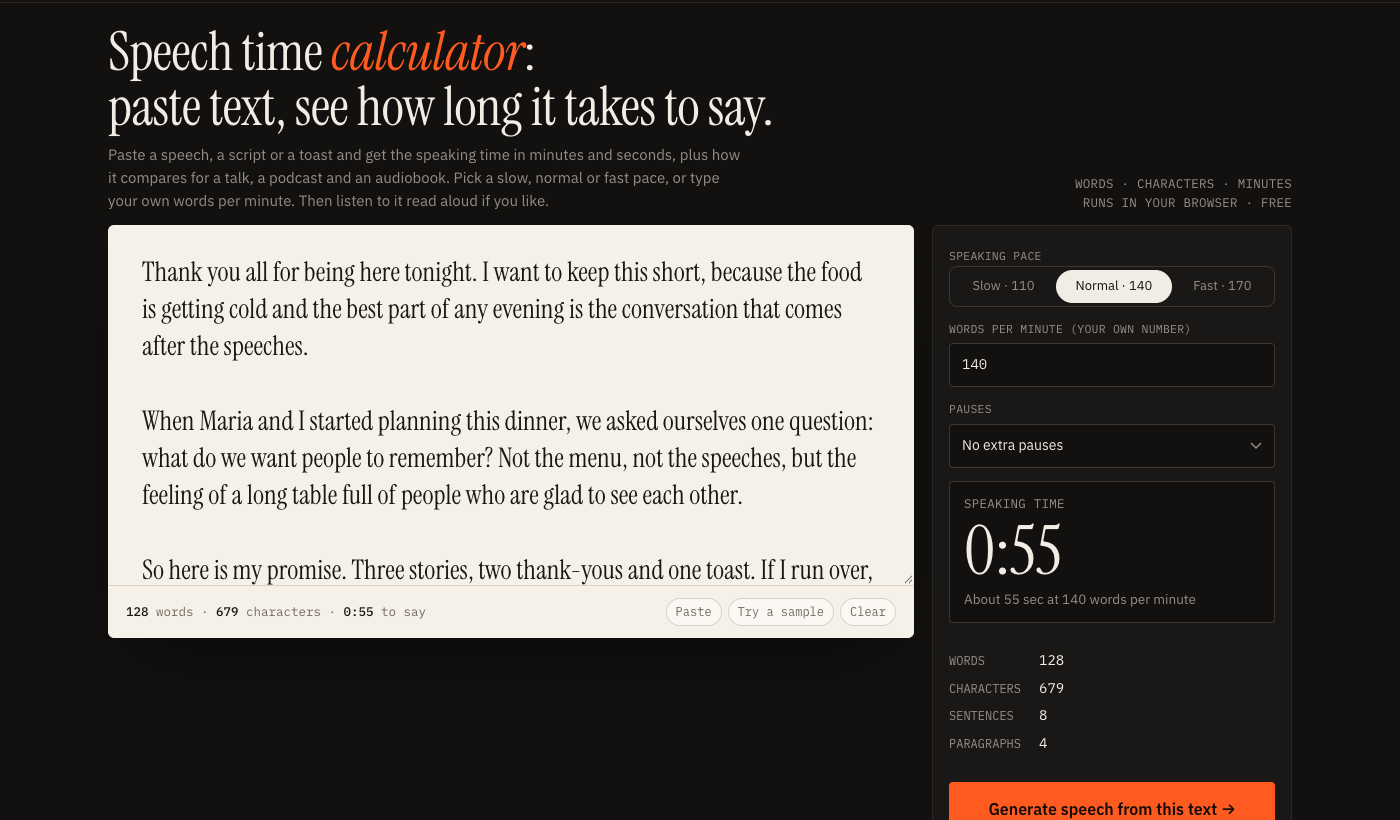
Speech time calculator:
paste text, see how long it takes to say.
Paste a speech, a script or a toast and get the speaking time in minutes and seconds, plus how it compares for a talk, a podcast and an audiobook. Pick a slow, normal or fast pace, or type your own words per minute. Then listen to it read aloud if you like.
runs in your browser · free
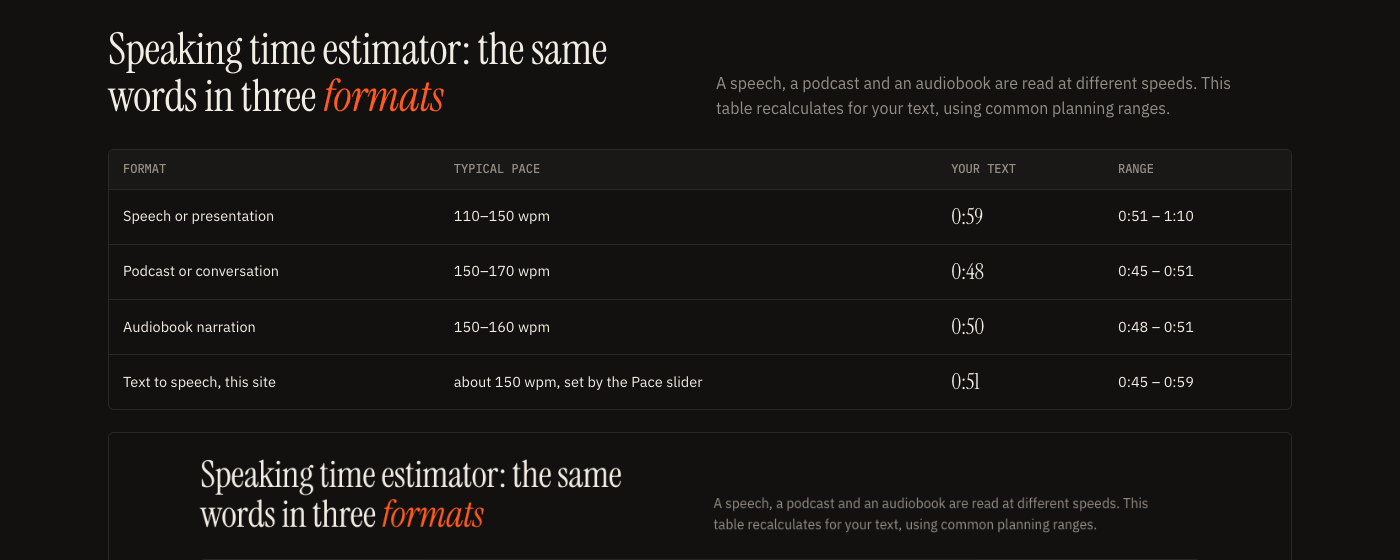
Speaking time estimator: the same words in three formats
A speech, a podcast and an audiobook are read at different speeds. This table recalculates for your text, using common planning ranges.
| Format | Typical pace | Your text | Range |
|---|---|---|---|
| Speech or presentation | 110–150 wpm | 0:00 | 0:00 – 0:00 |
| Podcast or conversation | 150–170 wpm | 0:00 | 0:00 – 0:00 |
| Audiobook narration | 150–160 wpm | 0:00 | 0:00 – 0:00 |
| Text to speech, this site | about 150 wpm, set by the Pace slider | 0:00 | 0:00 – 0:00 |
How long will this take? The short answer
For a normal speaking pace of about 140 words per minute, roughly 140 words take a minute, 700 words take five minutes and 2,800 words take twenty. A single-spaced page of about 500 words takes between three and four and a half minutes depending on how quickly you talk. That is the whole idea behind this speech time calculator: count the words, divide by your pace, add pauses.
If you have a deadline instead of a draft, work backwards. A 3 minute toast is about 420 words at 140 words per minute. A 10 minute talk is about 1,400 words, before you add slides and pauses. The reverse calculator below does this sum for you.
Words to minutes, and minutes to words
Type how many minutes you have and the calculator tells you how many words fit at the pace you chose. It is the same arithmetic as words to minutes, turned around. Use it to set a word budget before you start writing.
At 140 words per minute, with no extra pauses.
Words into minutes at common paces
If you only need a quick lookup of words into minutes, this table shows how many words fit in each length of speech.
| Pace | 1 min | 2 min | 3 min | 5 min | 10 min | 15 min | 20 min | 30 min |
|---|---|---|---|---|---|---|---|---|
| 110 words per minute | 110 | 220 | 330 | 550 | 1,100 | 1,650 | 2,200 | 3,300 |
| 130 words per minute | 130 | 260 | 390 | 650 | 1,300 | 1,950 | 2,600 | 3,900 |
| 140 words per minute | 140 | 280 | 420 | 700 | 1,400 | 2,100 | 2,800 | 4,200 |
| 150 words per minute | 150 | 300 | 450 | 750 | 1,500 | 2,250 | 3,000 | 4,500 |
| 160 words per minute | 160 | 320 | 480 | 800 | 1,600 | 2,400 | 3,200 | 4,800 |
| 170 words per minute | 170 | 340 | 510 | 850 | 1,700 | 2,550 | 3,400 | 5,100 |
Words per minute speech calculator: where the numbers come from
This words per minute speech calculator, or speech timer calculator if you prefer, does only one thing: it counts the words in your text and divides by the pace you pick. A word is any run of characters between spaces that contains a letter or a number, so a dash standing alone is not counted and a number like 3.5 is.
The paces are planning ranges, not measurements. People most often quote 100 to 150 words per minute for speeches and presentations, about 150 to 170 for podcasts and everyday conversation, and about 150 to 160 for audiobook narration. Your real figure depends on the speaker, the material and the language. A technical talk with new terms goes slower than a story you have told ten times.
Speech timer calculator: find your own pace in one minute
Read a paragraph aloud while a timer runs, as you would deliver it, then enter that number in the box. Count the words in the paragraph, divide by your seconds, multiply by 60. Do it once for each kind of material you speak: a calm read, a lively one, and a nervous one. The nervous number is often faster, which is why it helps to leave some slack.
What the pause menu does
Real talks include breathing, slides, laughter and waiting for a question to land. The pause menu adds ten or twenty percent to the time, which is the simplest way to avoid a talk that runs over. Choose twenty percent for anything with slides.
A speaking time calculator and word timer for talks, toasts and videos
Use this word timer whenever the length of the spoken version matters more than the length of the page.
- Toasts and best-man speeches: most people want two to three minutes, which is 280 to 420 words at a normal pace.
- Conference talks and class presentations: turn the slot length into a word budget, then subtract the time you spend on slides and questions.
- Video scripts: a 60 second short is about 140 words at a normal pace and 170 if the delivery is fast. Check the script before you record.
- Podcast and YouTube intros: a 30 second intro is about 75 words. Time it, then trim until it fits.
- Voice over: match the narration to the length of the footage. For timing to the second, the voice over generator measures every line from the real audio.
Cutting a speech that is too long
Cut in this order: repeated points first, then asides, then the examples you like but the audience does not need, and only then the main argument. After each pass, paste the text back in. Ten percent shorter is usually enough, and it is rarely the part you expected.
Text to speech timer: hear it instead of guessing
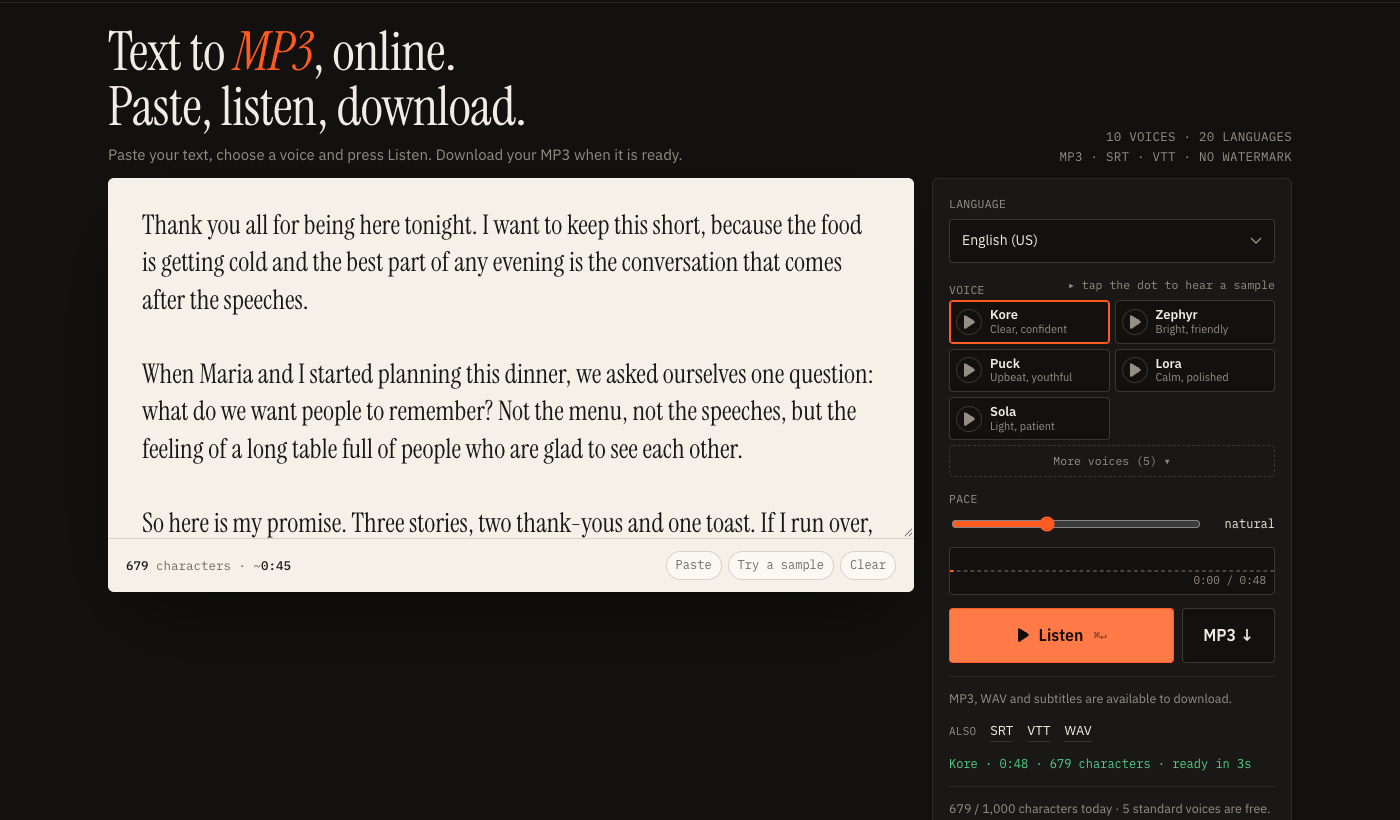
A calculator gives you an estimate. A text to speech timer gives you the real thing. Press the generate button next to the text box and your text opens in the text to audio tool with the pace already set. Listen to it, and the exact length of the audio appears when the render finishes, along with an MP3 you can download.
This is useful in two ways. You hear whether a sentence is too long to say in one breath, and you get a spoken reference that shows where the time goes. Many people paste a draft, listen once, and fix the sentences that sound clumsy before they ever stand up to say them.
The free plan covers 1,000 characters a day with the standard voices, which is roughly 170 words. Longer scripts need a paid plan, or you can time them here and generate one section at a time. See the plans for details.
Related tools
To read a long article aloud, use the text to speech reader. To get a transcript with timestamps from a recording you already have, use transcribe audio to text.
Speech time calculator questions
How long does it take to say 500 words?
At a slow 110 words per minute, 500 words take 4:33. At a normal 140 it takes 3:34, and at a fast 170 it takes 2:56. Add 10 to 20 percent if you plan to pause for slides, laughter or questions.
How many words per minute is a normal speech?
Most guides put public speaking and presentations somewhere between 110 and 150 words per minute, with 130 as a common planning number. Conversation and podcasts tend to run faster, about 150 to 170. Treat these as rules of thumb: your own pace depends on the room, the material and how nervous you are. Read a paragraph aloud once with a timer running and type your real number into the calculator.
How many words do I need for a 5 minute speech?
At 130 words per minute a 5 minute speech is about 650 words, at 140 it is 700, and at 150 it is 750. If you want pauses, use the pause menu or aim for the lower number.
Is my text sent anywhere?
No. Counting and timing happen in your browser as you type. Your text leaves the page only if you press the button that generates speech from it, and then it goes to the text to speech tool on this site.
Why is the text to speech time different from my estimate?
The calculator uses a fixed words-per-minute number you choose. A generated voice has its own pace, shaped by punctuation, numbers, names and the pace setting. The real length appears when the audio is ready, and the estimate is usually close enough to plan with.
Does it work for languages other than English?
The word count splits text on spaces, so it works for Spanish, French, German and other languages written with spaces. Typical speaking speeds differ by language, so enter your own words-per-minute figure. It is not suitable for Chinese or Japanese, which are written without spaces.